Wired Ergonomic Keyboard for Mac - Split Design with Wrist Rest
SKU: BLERGO2SG
Regular price
$ 74.99
Unit price
/per
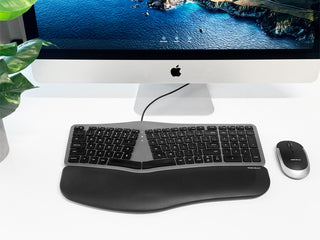
Stop fighting your keyboard and start flowing — this split ergonomic design positions your wrists naturally so you can type for hours without pain.
✅ Split curved design with cushioned wrist rest — reduces strain on wrists, hands, and shoulders ✅ Full Mac-native layout — Command, Option, and all 13 shortcut keys right where you need them ✅ Backlit keys with adjustable brightness — type comfortably day or night ✅ USB wired plug-and-play — no batteries, no drivers, works with any Mac instantly
Trusted by Apple users for over 30 years — designed in California.
⭐ "I really felt a difference in my wrists after switching — the ergonomics are excellent" — Verified Buyer
Quantity selected exceeds current stock
Secure Checkout
2 Year Warranty
30 Day Risk-Free
Free Shipping $49+
Adding product to your cart
ERGONOMIC DESIGN
YOUR COMFORT IN MIND
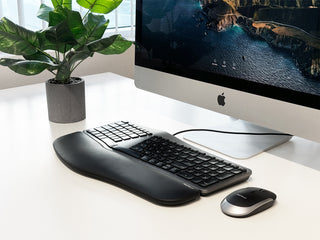
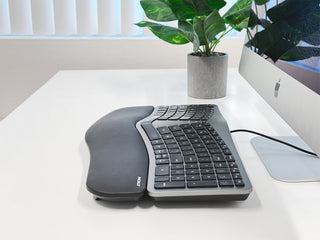
The sloped split design promotes a natural typing posture, reducing strain and discomfort. Padded wrist support and four adjustable kickstands ensure optimal comfort.
CRYSTAL CLEAR BACKLIT KEYS
TYPE ANYTIME, ANYWHERE
LED keys with three brightness settings (Off, Low, Mid, High) provide perfect visibility in any lighting situation, ideal for late-night work sessions.
SIMPLE WIRED USB CONNECTION
JUST PLUG AND PLAY
The 5ft USB-A cable ensures a hassle-free, reliable connection with your Apple computer or laptop, with no additional software or drivers needed.
MACOS-OPTIMIZED LAYOUT
TAILORED FOR MAC USERS
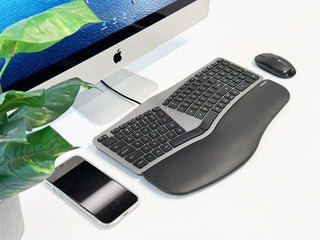
Adapting to our Mac keyboard is a breeze with our familiar 100-key MacOS layout and 13 dedicated shortcuts. Enjoy a seamless transition and enhanced productivity with a design tailored for Apple keyboard users.
ADJUSTABLE KICKSTANDS
CUSTOMIZABLE TYPING ANGLE
Four adjustable kickstands allow you to customize your typing angle for the perfect ergonomic setup, enhancing comfort and productivity.
Customer Reviews
Customer Reviews
Overall rating: 4.2 / 5 from 20 reviews.
Very comfortable and useful. The changes from my old standard keyboard to this one have been minimal. Feels very good, but I wish the keys did not make some noise. Overall, a very good keyboard. Thanks.
Some of the button placment are little awkard, but I'm nt used to split design. Overall I notice less pain in my day to day, so it works for my intented purpose.
I like the keyboard but dislike that its keyboard layout is different from the wireless macally keyboard I have at work. I'll need to buy another wired keyboard to have a consistent layout.
Support was very helpful after initial order got lost during shipping. Once I reported the issue I received my keyboard within a few days. Love the keyboard!
I had sudden-onset hand pain and made important ergonomic changes. Installed this keyboard on a negative-tilt keyboard tray with a mouse/trackpad platform above the keypad, and put my laptop on a stand (screen at eye level). It's very aligned with evidence-based recommendations from the Cornell University workplace ergonomics team. Pain is gone, with thanks to your tented, splayed keyboard with wrist rest. and other components.
I prefer the ergo to have separate arrow keys. I like the older white one, but the letters rib off too easily. This one is nicer quality, but i hate the tiny arrow keys and the moved fn key on the left. Annoying.
The keyboard has a great look and would work for some with large hands. It did not work for me because my hands are too small for this unit.
Macally understood and provided a refund. Thank you for your customer service!
I really like the keyboard! I bought a different one previously, and the function keys did not work for Macs. This one has smooth and solid key strokes and a nice wrist rest. Works great! The only reason I did not give it 5 stars is that it does not have an extra USB port to plug in my mouse
This is the keyboard I've been looking for! Wired mac keyboard with ergonomic layout. I've had very little learning curve and my wrists are much more comfortable working on it. The only thing I'm not thrilled with is the placement of the arrow keys.