


This is a really nice looking keyboard that matches our new silver 24" imac perfectly. This keyboard has perfect tactile feel and I really missed the 10 key numeric pad which has been dropped on the magic keyboards from mac.



ULTRA-SLIM ALUMINUM DESIGN
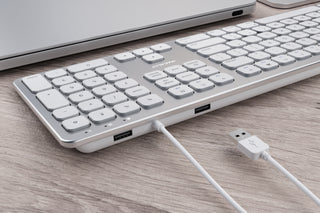
BUILT-IN USB HUB
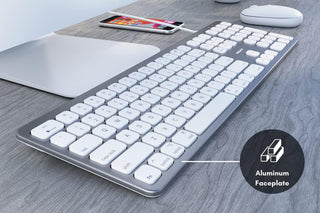
SOFTWARE & DRIVER FREE
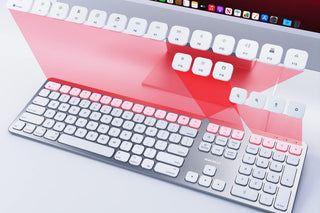
FULL-SIZED LAYOUT
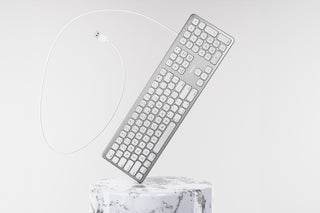
SCISSOR FLEXOR TECHNOLOGY
Overall rating: 3.8 / 5 from 222 reviews.
This is a really nice looking keyboard that matches our new silver 24" imac perfectly. This keyboard has perfect tactile feel and I really missed the 10 key numeric pad which has been dropped on the magic keyboards from mac.

Less than 5 minutes after I opened this keyboard it slipped off of my lap onto the floor and the control key popped off. the plastic piece holding the control key broke so it wont go back on.I have dropped other keyboards many many times without any damage.I should have ordered the upgraded version for $10 more.

'The cheapest price is not always the lowest cost' and it is quite true with this piece of junk. Could not get the caps lock light to stay on beyond a day, and just 2 weeks after purchase, the cmd key stuck! The overall feel of the keyboard is not even up to those of a Yugo -- it is tinny and of cheap construction. Caveat Emptor!

The DealI just purchased my third Macally keyboard, the SLIM USB keyboard with 2 USB ports (To Replace my second older version of same) which the back arrow key stopped working. The only reason I am buying yet a third one-(Average age is about 3 years to failure) is because I need the extra USB ports for the mouse etc. for my older Mac Pro.Note- according to Macally Tech, there is a Mac OS issue that will turn off the Caps Lock light circuit after MAC goes to sleep, and keyboard does not fully "Wake Up", and the "FIX" is to unplug the USB plug out and then plug USB back in. AND YES, this does work, but what a pain. I have had to do this about once a week.The Good: I like the layout and feel of the keys, etc.The Sad:I had the earlier version of this keyboard, which I still prefer because of the larger keys and non-metallic surface, but is no longer made, and it just quit working one day. Not just a single key stopping, but the ENTIRE keyboard. Go Figure. If I could find another Mac Friendly keyboard with the EXTRA USB ports, I might consider that.Other issues:The good:> Keys respond well, though I prefer full sized button.> 2 USB ports are great, cutting on clutter and cables, 3 or 4 ports would be better, and placed on end, not front of KB.> Keys are easy to see in dimmer lightThe Bad:> New version REFLECTS ANY overhead/nearby LIGHT into eyes causing glare- very annoying> *I only use Computer keyboard 1-2 hours a day onlyImprovements: illuminated keys, etc.

I love this keyboard. Sleek & super responsive

The Macally Ultra Slim USB Wired Keyboard for Mac is not too slim, it's in the middle for size. The keys have good travel to them and it has the number pad as well. The Keyboard is similar to a standard Apple keyboard at a fraction of the cost. The keys seem to have more spring to them than Apple keyboards too. The keyboard isn't a quiet model, but isn't all that loud.Highly recommend this keyboard.The only downside is that the caps lock key light doesn't light up. This happens quite frequently with non-Apple keyboards. You can fix this by downloading the 'Captain' app from Macupdate.

This is the nicest keyboard I’ve ever owned. The keys have just the right amount of movement and click (sound). Works great with my Mac mini. About the only thing that I can find fault with is the quirky little ‘Fn’ key in the lower left. There is an identical one on the lower right. Who needs TWO function keys? Overall, I love this keyboard!

Es una gran compra, supero todas las expectativas y la apariencia, detalles, la sensación al tacto de las teclas y del acabado metalizado son excelentes, una gran alternativa para reemplazar el teclado extendido de apple si este se te daño y/o necesitas el teclado con puertos USB, agradecido con macally por no dejar morir opciones como esta, y con seguridad lo recomendare a cualquier persona que me pregunte.

Do not buy, it freezes while in use on an iMac. Also returning is a pain, you have to keep the box ....

Since this looked very similar I went for it. As soon as I took it out of the box I wasn't impressed. I really don't like the finish on this product. I've been an Apple lover for 20 years and am very used to the haptics of their products. While this keyboard is silver in color, and looked like the Apple one in the images, the finish has small ridges in it that are not smooth like the Apple version.I didn't like the feel from the start, but decided to plug it in and see how it worked. I spent about 20 minutes trying to get this keyboard to connect to my MacBook Pro, as the layout was not recognized by the computer. It would type the letters but not recognize any of the other keys. It then recognized only numbers, then it just went between which sections of the keyboard would work.I talked with tech support (at the recommendation of Amazon before I processed the return) and he had no way to fix the issues or help me... so it's on the way back. Definitely going to go for the Apple version!
Love the product it does all it advertised and looks great too!! Half the price I almost paid!!
Premium USB Keyboard for Mac with Built-In USB Hub - Aluminum
I’m using to program my V2 Vengeance weapon., strike terror into the hearts of weak minded people.🇩🇪
Premium USB Keyboard for Mac with Built-In USB Hub - Aluminum
Takes a little getting used to due to addition of numerical keypad, which my previous keyboard did not have, but I ike the convenience of that feature, so worth taking the time to get used to the slightly different dimensions of the keyboard, which seems to be solidly built. Haven't had it very long, but very happy with it so far. I'd buy it again and recommend it.
It's a great keyboard. Nice touch and great functions.
Just what I was looking for!
Product out-of-the-box defective. One key ('c') had normal mechanical movement and feel, but the actual electronic signal was inconsistent - normal pressure did not trigger it, pressing hard would trigger up to 5x in rapid succession. Also the '4' key on the numpad was functional electronically, but mechanically was stuck in the 'down' position and would not rise back up to the 'up' state, so it was overly sensitive. Poor quality control from a manufacturing perspective.From a design perspective - It's nice that it has the extra USB ports, but their location and orientation is not convenient; as they're on either side of the cord on the 'far' side of the keyboard, facing the same direction on the cord. This may be fine for a normal desktop setup with plenty of space, but for use as an external keyboard for a laptop on the same desk, having a 2-3" USB dongle, especially with cord attached (like my USB gaming mouse), it meant having to push the laptop back even further away to make space for it, and it still felt jammed / crowded. Compare this to the (older generation) Apple magic keyboards, which also had 2x USB ports, but instead had one port each on the (lateral) sides of the keyboard, perpendicular to the keyboard orientation itself.Product returned for being defective, but chose refund over replacement for the design issues.
Bought this Macally keyboard because it freed up a USB port on my Mac Mini by using the port on the keyboard for the mouse. Also I occasionally plug in a thumb drive to the keyboard and that works fine too.
I really like this keyboard. It matches nicely with my Mac mini. A very nice typing keyboard. For me, the keystroke length feels perfect. I appreciate the 2 USB ports on the front. I use 1 port for a wireless mouse dongle. The feet are Just grippy enough to keep the keyboard from slipping around.
Cheaply made. Looks nice, worked well - but key failure does not bode well for the all the rest of the keys.
Replaced old keyboard that had plumb wore out.Did have to go through a configuration process when first plugged in.Took all of three minutes, and is now fully functional.
I never expected to have so much joy from a keyboard, but here I am. I've used all kinds of keyboards, and I went through at least a half dozen cheap ones over the past 4 years that all broke. Finally, I was sick of the wireless keyboards always disconnecting and I could really use the extra usb that the old mac keyboards had. I eventually found this keyboard. When I come home from my other job to use this keyboard, my hands actually FEEL BETTER. It's weird but true. If you are looking for a wired Mac keyboard, look no further. Macally, Bravo! You make amazing keyboards.
This keyboard is terrific. It worked right out of the box. You couldn't ask for more.
Recommended by my Apple Tech and he's never wrong. Good price point as well.
Overall, its functional and adequate. I purchased aa a stopgap step in fixing a busted key on my MacBook.While the keyboard works, here a few things I don't like:1. Its flimsy. For the price, I'm not surprised but not sure if its longevity.2. You'll likely need an adaptor (i had one but annoying)3. The power key is on the upper right corner making it too easy to hit (really annoying)
Nice “feel”, good weight (doesn’t slide around the desk) has all the bells and whistles I want AND it works! Making it 100% better than the original apple keyboard.
Plug and play!!! Use this for my MacBook Pro, controls all functions same as Apple Keyboard.
I'm very grateful that I can still buy a keyboard of this type (and I'm bummed that Apple no longer offers it). At first I had only a slight problem with it: I had to get used to its being noisier than when I typed on my last keyboard like this one (made by Apple). I also have a problem distinguishing some of the symbols from each other; for my eyes (which aren't too bad overall), the symbols are too small and faint. But then I noticed a bigger problem: the indicator light for Caps Lock never lit up. I'm not a touch typist and so have to look at the keys. I would often look up and see I've been typing in all caps because I accidentally hit the Caps Lock key. The indicator light for Function Lock likewise never lit up. I would've returned the keyboard, but I desperately needed to replace my old one (which broke down after I cleaned it with rubbing alcohol, even though I disconnected it first and was very careful with it). Rebooting my Mac didn't help. Then my "IT guy"—my boyfriend—came by and disconnected the new keyboard and reconnected it, and the lights worked properly; however, now they're not working again. SO THIS IS HOW I'LL BE TYPING AT TIMES.
I've had other Macally keyboards years ago and I currently have other third-party keyboards. This Macally keyboard WKEYHUBMB is disappointing.The good points are: this is a full-size keyboard with a numeric keypad and two built-in USB ports; when typing, the keys feel good.The bad points are: the keyboard is not aluminum but it's cheap steel with a glossy finish; the USB cable is very thin; the text printed on the keys is not black but grey, which means it has less contrast and may affect people with poorer vision; the top-row function keys use a tiny, thin font with tiny icons which are impossible for me to read; with each session with this keyboard, the Keyboard Setup Assistant window pops up and this doesn't happen with my other keyboards; some of the function shortcut keys work and some don't and this doesn't happen with my other keyboards.This Macally WKEYHUBMB keyboard generally works but it's disappointing especially for what it costs. But if you need a full-size keyboard with a keypad and built-in USB ports, there is little choice.
Replacement keyboard for mom's Mini. The extra USB ports make it VERY convenient
I am not a great typist but this keyboard has fantastic features for mac users. with all the FN keys. I like the feel of the keys but i am not that experienced with different key set ups. Everyone has difference taste but i like the look of the white keys against the silver board. The two usb ports are my favorite features. I can plug usb port for the mouse as well as slow charge my phone.
Works fine with m1 Mac mini
Very flimsy and poorly made
Despite going thru all the settings on my Mac, this keyboard either can't keep up with my typing or is too slow to respond when I push buttons. If you are a fast typer or do lots of typing, I'd look elsewhere.
I sent it back. The keyboard was flimsy and felt cheap under my fingers. It slides around, the keyes are cheap, and the layout of certain buttons was off so it made muscle-memory keystrokes impossible and frustrating.
Keyboard has slightly raised keys, which make typing easy. Sleek design. Sturdy. Attractive. Sufficient ports. I’d buy again.
I'm always hesitant to buy non-Apple products for my Mac needs, but this was an excellent choice. Not only did it arrive quickly, work perfectly, but the service followup was great too. Excellent choice.
Ive had this keyboard less and it stopped working. This is with mild use, less than 2 hours a day. Then i go to contact them through the number giving and it has you leave a message witch they have not called me back after a couple of days. Sucks because it because you’re just left with a crappy broken product with no support.
I ordered this keyboard when my previous one started having problems with a stuck key that I was not able to fix. I saw some keyboards that were cheaper but I decided to spend a little more on this one. I am so glad that I did. This keyboard has a great look and feel. Makes it extremely easy to type and I love the fact that it adds 2 USB ports since Apple has been very stingy with ports on their equipment and there are never enough.
I used to love Macally products. But they have been having progressively shorter lifespans over the years. This keyboard was purchased Aug 17, 2021, it died Christmas day 2022. The power light shows on, but none of the keystrokes register. Thankfully I still had the tiny keyboard that came with my iMac, so I could order a new one. From another company.
Normally I don't do this ie submit a review , but after just 5 months of use this keyboard started having problems with the keys not working properly or they would give a double of the letter typed and then the LED indicator lights in the upper right hand of the keyboard started going bad, I could live with this except when the Caps Lock light went out it pretty much killed the keyboard for me. I would also like to say that I am not that heavy of a user on the keyboard but there are times that it would get used a little harder than normal but not often. So I had to plug in a good old fashion USB non mac style keyboard for everyday use.